
Know what is on the shelf before you order.
Sales take stock out. Invoices put it back. Counts correct it. CornerHawk keeps the number per store and shows every movement behind it, so a wrong number has an explanation.

01 What it does
Stock on hand per store with par levels, reorder points, counts and a full movement history.
- 01
Per-store quantities
Each store has its own on-hand, par level, reorder point and shelf location for every tracked item.
- 02
Low and overstock filters
See items at or below their reorder point, or holding more than one and a half times par.
- 03
Counts and adjustments
Set the counted quantity or adjust by a number with a reason. The difference is recorded as a count correction.
- 04
Every movement has a source
Open an item to see sales, refunds, invoice receipts, counts, deli recipe use, production batches and waste.
- 05
Dead stock shows up
The dashboard lists stock that has not sold in 30 days, so cash stops sitting on the back shelf.
02 On the floor
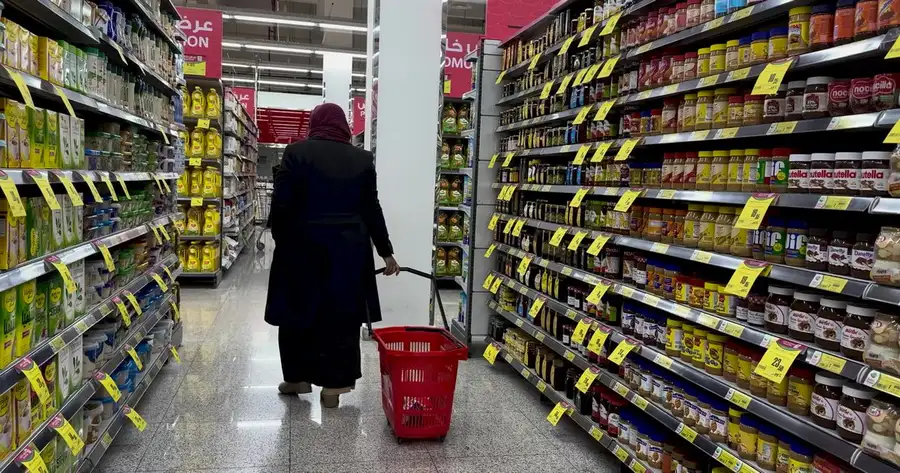
Tuesday morning, before the chip vendor arrives. The clerk walks the aisle with the tablet, filtering for the Snacks department, and types in what is on the shelf. Six items were off. The movement history on one of them shows a case received twice on last week's invoice, which is a conversation for the rep.
Before and after
The same job, two ways.
Paper, spreadsheet, old register
- Before the Tuesday chip delivery, someone eyeballs the shelf and writes a number on the order pad.
- A count that is off has no explanation, so it gets crossed out and corrected on paper.
- Cases of slow sellers sit on the back shelf for months before anyone notices.
In CornerHawk
- Each store has its own on-hand, par level and reorder point, with a low stock filter.
- Open an item to see every sale, refund, invoice receipt, count and waste entry behind the number.
- The dashboard lists stock that has not sold in 30 days.
03 How it works
4 steps, start to finish.
- 1
Turn on tracking
Mark the items you want to track. Lottery and fountain drinks may not need it.
- 2
Set par and reorder points
Par is what a full shelf holds. The reorder point is when to order.
- 3
Count when it matters
Enter counted quantities for a shelf, a department or the whole store.
- 4
Order from the numbers
Vendor order sheets use par and on-hand to build the order.
04 Spec sheet
The details, exactly.
What inventory supports today. If you need something that isn’t on this list, ask us before you buy.
Terms on this page
| Per store | On hand, par level, reorder point, shelf location |
|---|---|
| Movements | Sale, refund, receipt, count, adjust, recipe, production, waste |
| Filters | Department, low stock, overstock, search |
| Counts | Set counted quantity or adjust by an amount |
| Receiving | Posted invoices receive qty x pack |
| Reports | Item movement with days of stock |
| Plan | Included in every plan |
Do I have to track every item?
No. Track inventory is a switch per item. Many stores track tobacco, beer and grocery and skip fountain and lottery.
Is there a full physical inventory mode?
Counts are entered per item, filtered by department or search, which covers cycle counts and a full count. Every correction is recorded with who did it.
Does the deli use the same inventory?
Yes. Ingredients are products. Recipes take them out on sale or on production, and waste writes them off at cost.
Works with
All 26 features- Order sheets Vendor orders Order sheets from par levels with Vendor #1/#2 rules, sent by email, SMS or WhatsApp. In every plan
- Products & prices Pricebook Items, barcodes, case and unit cost, margins, departments, taxes and per-store prices. In every plan
- Vendor invoices Purchases & invoice scan Scan or type vendor invoices; posting receives stock, updates cost and tracks payables. In every plan
- Recipes, hold board, waste Deli & food service Recipe costing, paid extras, production batches, hold board timers and waste at cost. Pro and Complete
→ Next step
Bring your pricebook. We’ll show you your store in it.
A 30-minute walkthrough on your kind of store: your departments, your vendors, your end-of-day. No slide deck.
Or write to hello@cornerhawk.com

Closes itself.